
Quick Start
Get up and running with TipTap YouTube Resize in minutes.
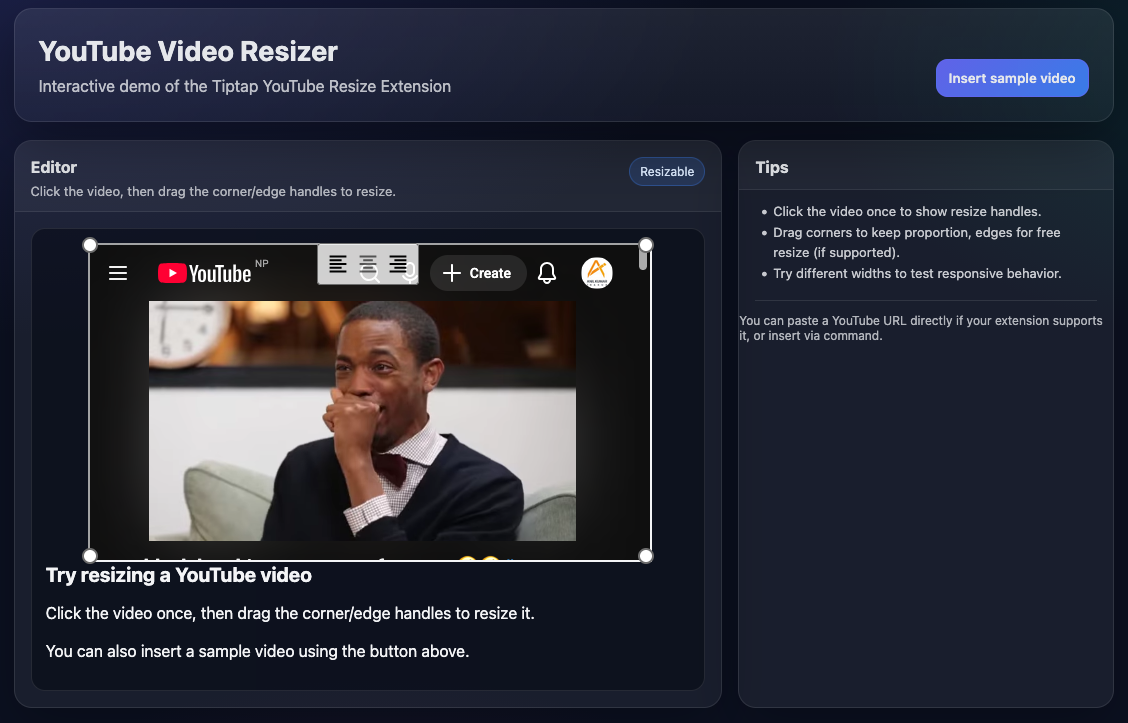
Demo
Basic Usage
typescript
import { useEditor, EditorContent } from '@tiptap/vue-3'
import StarterKit from '@tiptap/starter-kit'
import Youtube from '@tiptap/extension-youtube'
import YoutubeResize from '@anilkumarthakur/tiptap-extension-resize-youtube'

const editor = useEditor({
  extensions: [
    StarterKit,
    Youtube.configure({
      controls: true,
      nocookie: true
    }),
    YoutubeResize.configure({
      // Options here
    })
  ],
  content: `
    <h2>Resizable YouTube Video</h2>
    <p>Embed and resize YouTube videos directly in your editor!</p>
  `
})
Template
vue
<template>
  <div>
    <editor-content :editor="editor" />
  </div>
</template>
Key Features
- 🎯 Hover to Show: Move your mouse over videos to reveal resize handles and alignment controls
- 🖱️ Click Support: Can also click videos to show controls
- 🔄 Drag to Resize: Click and drag video corners to resize
- 📍 Alignment Control: Align videos to left, center, or right
- ⌨️ Keyboard Support: Full keyboard accessibility
- 🎨 Responsive Design: Videos scale properly on all devices
Next Steps
- Explore Setup and Configuration
- Learn about all Options
- Check the API Reference